B2B portal for business customers
Your terms, quick ordering, and all orders, shipments and invoices in one place.
- Your termsPrices and discounts for your company across the whole catalogue.
- Order in a minuteEnter codes and quantities, your cart is ready straight away.
- Shipments at a glanceWhere your goods are, from order to delivery.
- Invoices in one placeWhat has been paid, what is pending, PDF immediately.
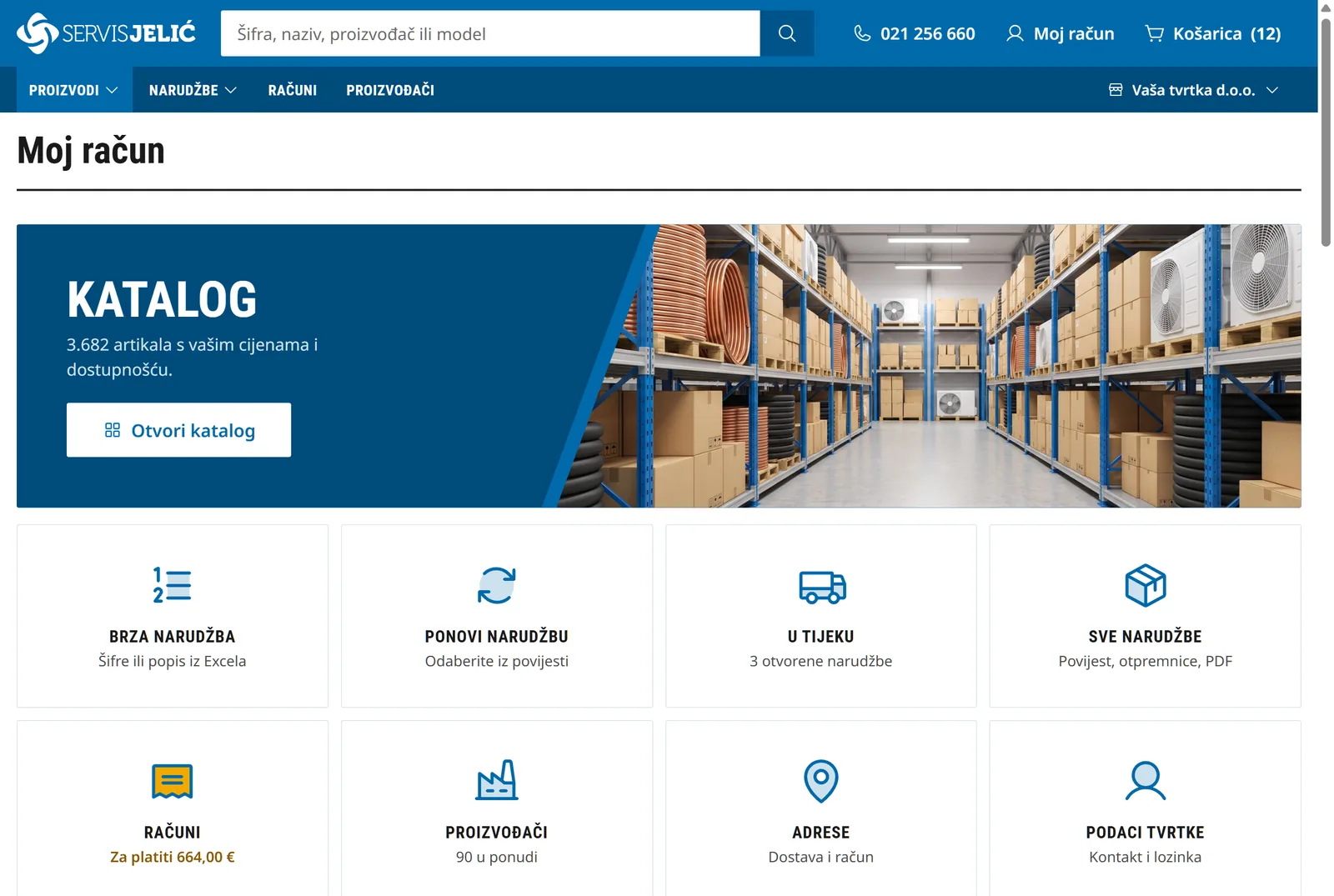
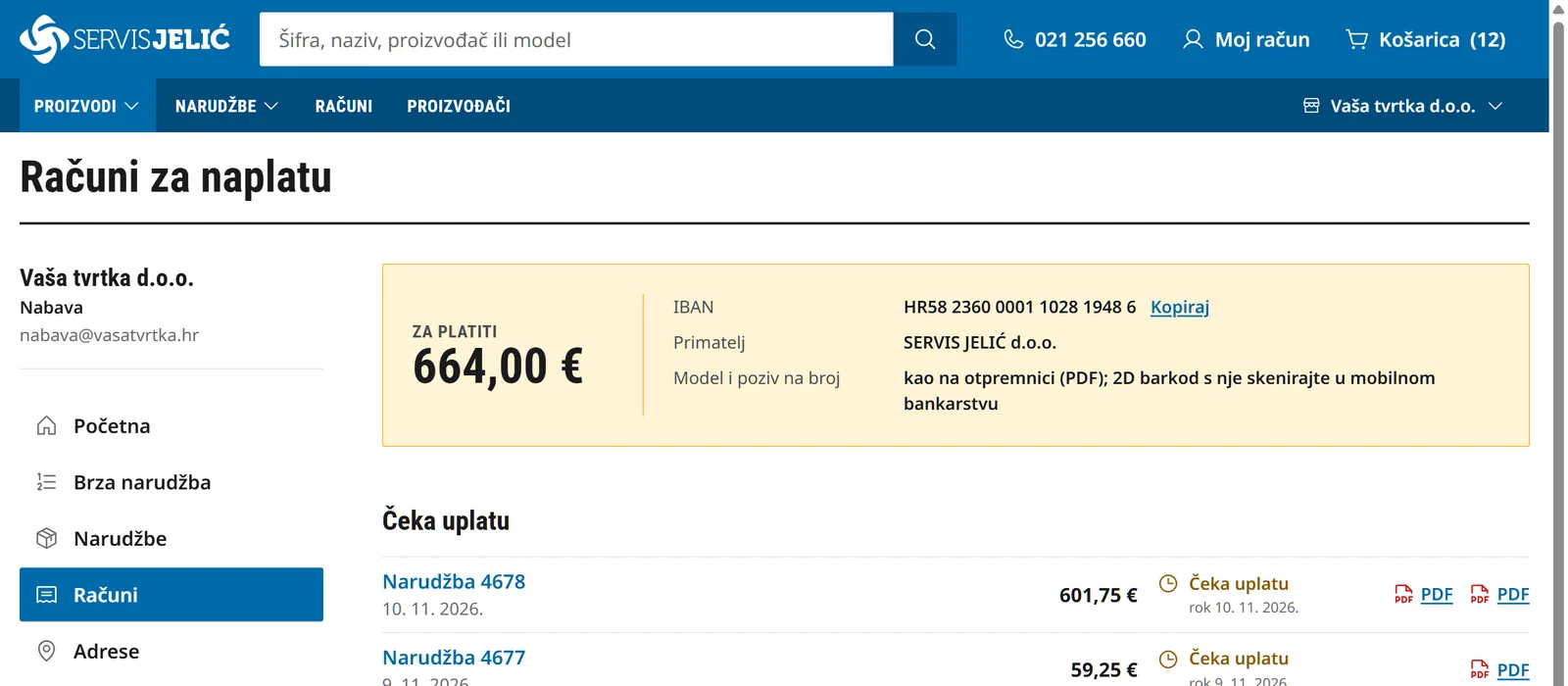
Inside the portal
-
Home: catalogue and everything in one click -
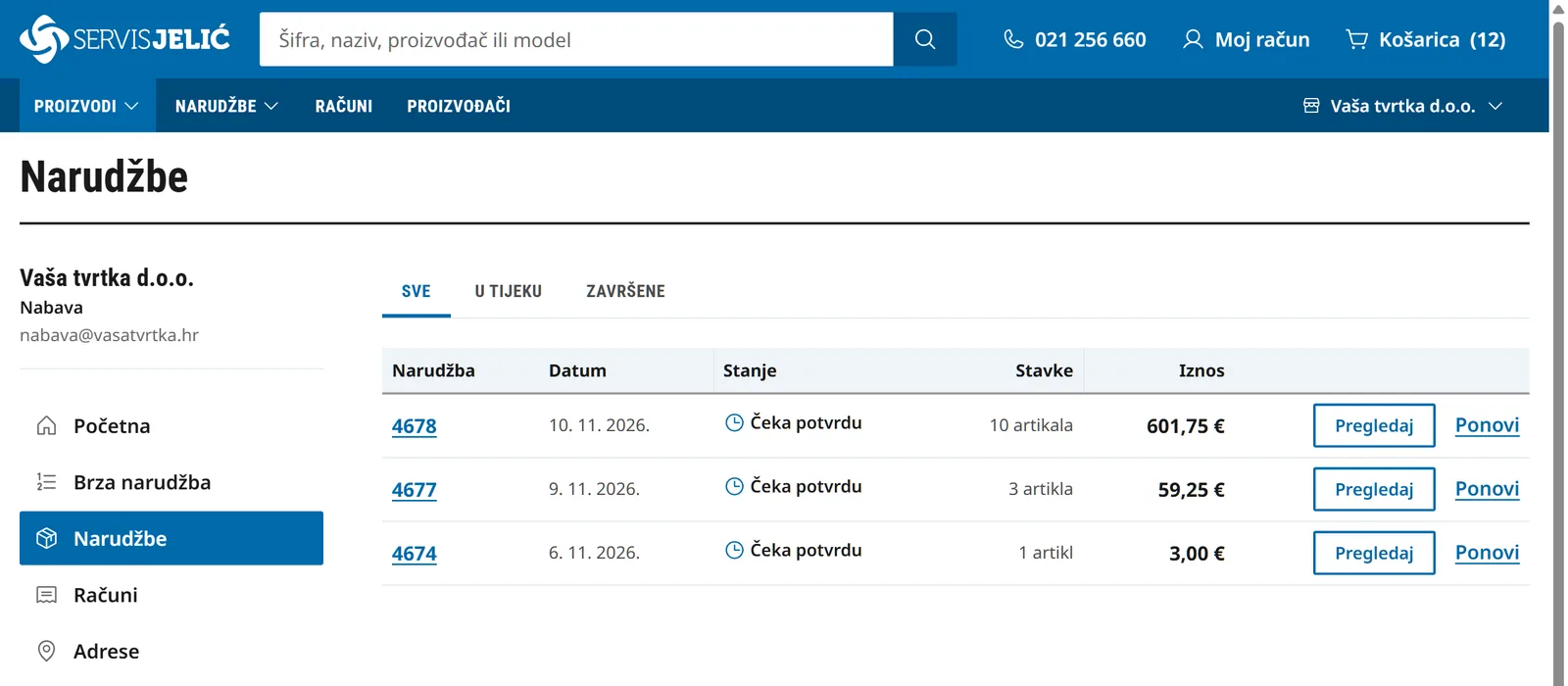
Orders: in progress and completed -
Invoices: what is to be paid and how
How it starts
-
1
Fill in the form
Company name, VAT ID, address and contact. The account opens immediately and you are logged in right away.
-
2
We approve
We open the company in our business system, check the details and enable business customer terms.
-
3
You order
After logging in, the whole catalogue shows your terms, and your orders, shipments and invoices are on the home page.
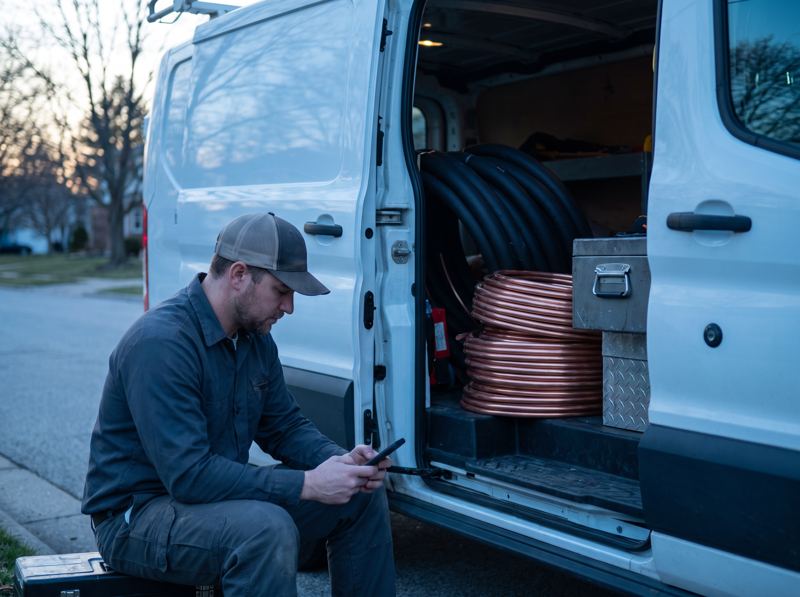
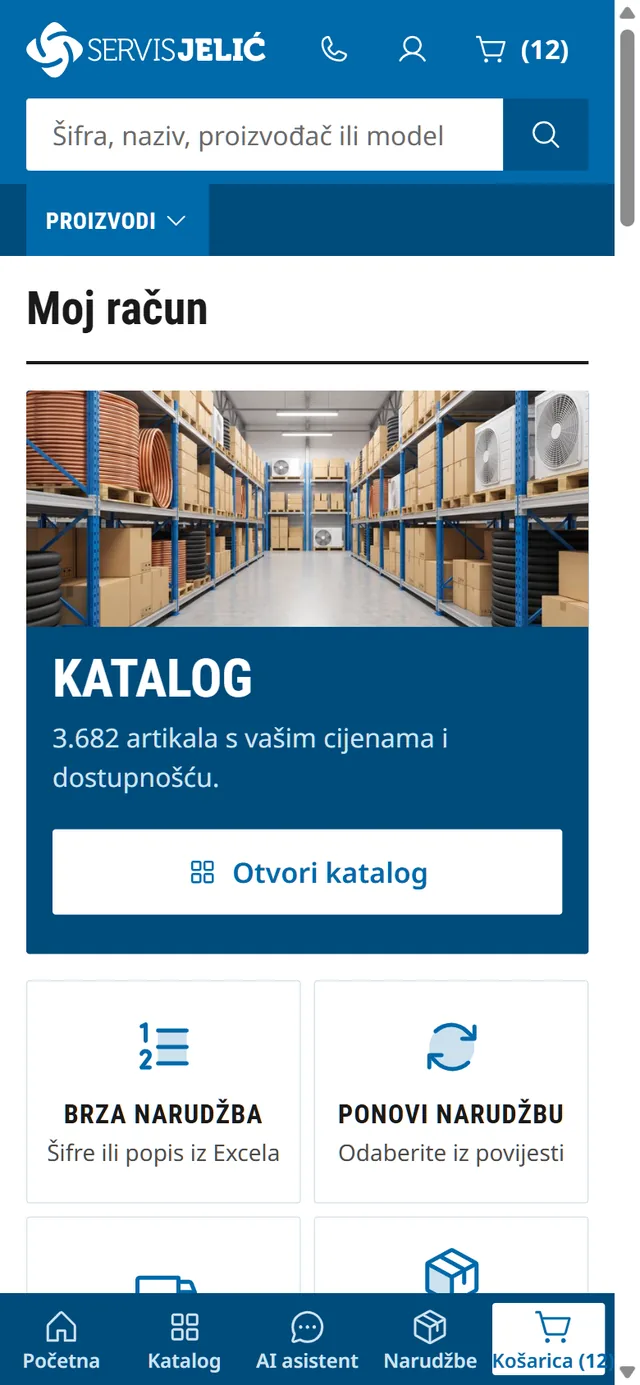
On site, on your phone
Between two jobs, open the portal on your phone: the bottom bar leads to home, catalogue, orders and cart, and you can place an order by code with one hand.
Veće narudžbe složite upisom šifri i količina. Isti račun, iste cijene i ista košarica na računalu i mobitelu.
Who the portal is for
Installers and service technicians
Material and parts from your phone, between two jobs.
Shops
Regular purchasing by code, with an overview of orders.
Wholesalers
Veće narudžbe po šifri, ponude i računi u PDF-u.
Contractors
Site material, delivery to address.
Frequently asked questions
Who can open a business account?
Companies and sole traders who design, install, service or sell air conditioning and refrigeration equipment.
Which prices do I see after logging in?
Your company's terms, shown on every item in the catalogue and in the cart. Without logging in the site shows retail prices incl. VAT.
What does ordering by code look like?
Upišete šifru i količinu, a naziv, dostupnost i cijenu vidite čim šifru prepoznamo. Duži popis zalijepite odjednom: šifra pa količina, jedan artikl po retku.
What if an item is not in stock?
You can still order it. Items in stock go in the first part of the order, and the rest arrives in a second part.
Where can I see the status of my order and shipment?
On the invoices home page. Each order has its own progress, and once it ships, the shipment number with a tracking link appears.
Can I see invoices and balance due?
Yes. The owner of the business account sees the balance due, payment terms and order documents in PDF.
Does the portal work on mobile?
Yes. On your mobile you have a bottom bar with Home, Search, Order by code, Orders and Cart.